
IdoSell (Manual)
You add Quomerce to an IdoSell shop with two snippets in Dodatki HTML i JavaScript (HTML and JavaScript add-ons). It takes about ten minutes and needs no developer.
1. Get your key in Quomerce
Section titled “1. Get your key in Quomerce”-
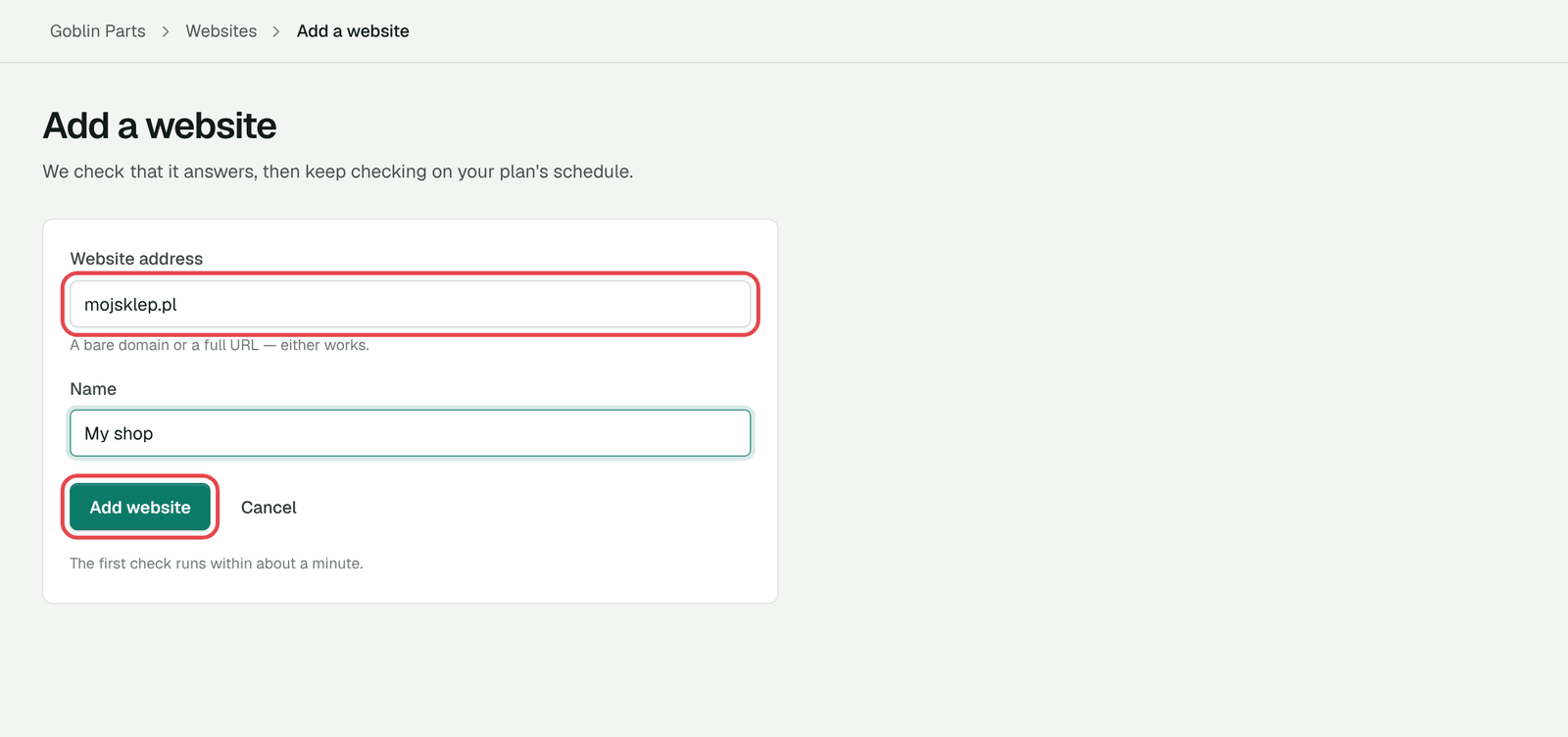
Sign in at app.quomerce.com, open Websites and click Add website. Type your shop’s address. More in Add the website.
-
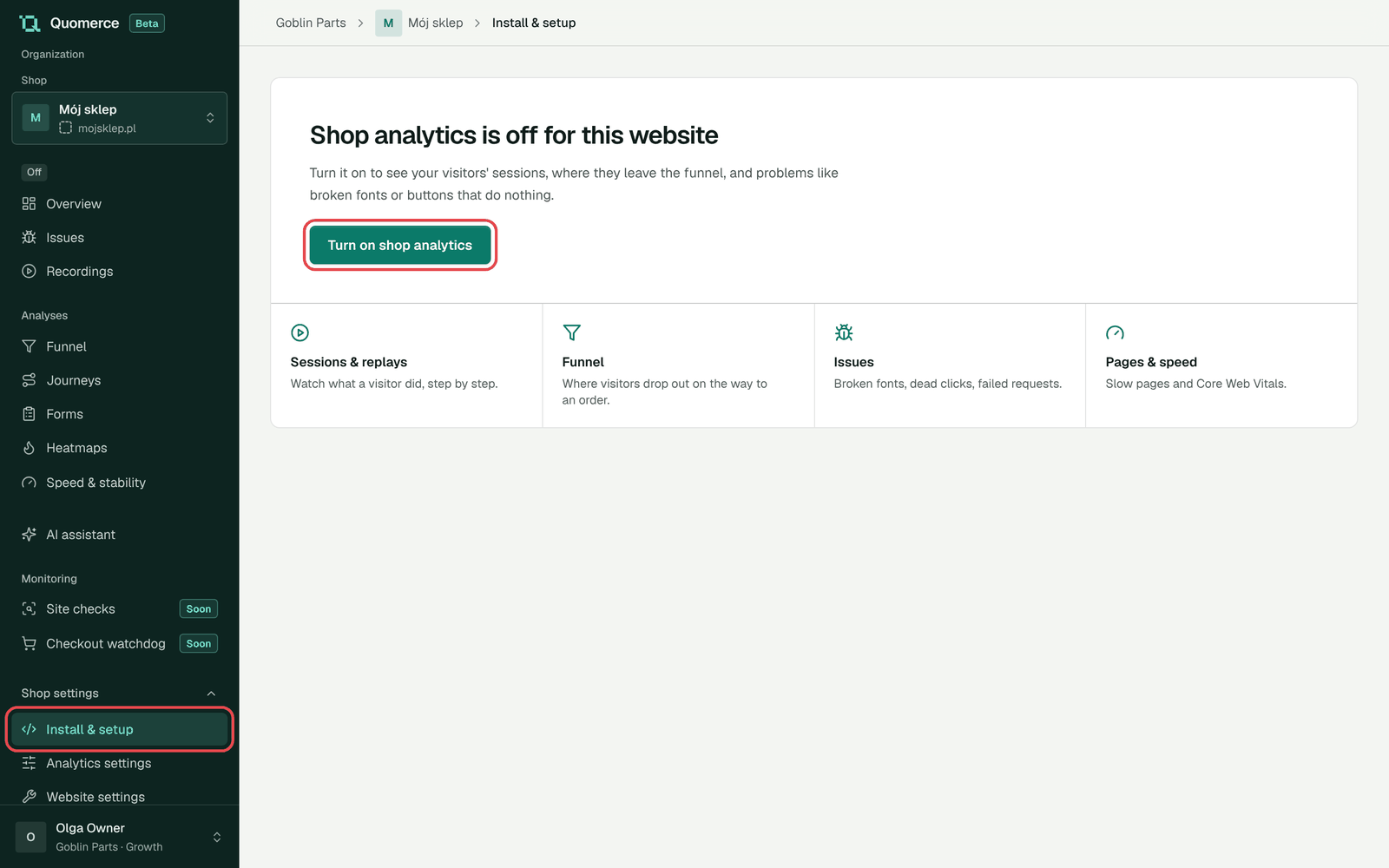
Open the website, go to Shop settings → Install & setup and click Turn on shop analytics.
-
Copy the Public key under Your site key. It starts with
pk_live_.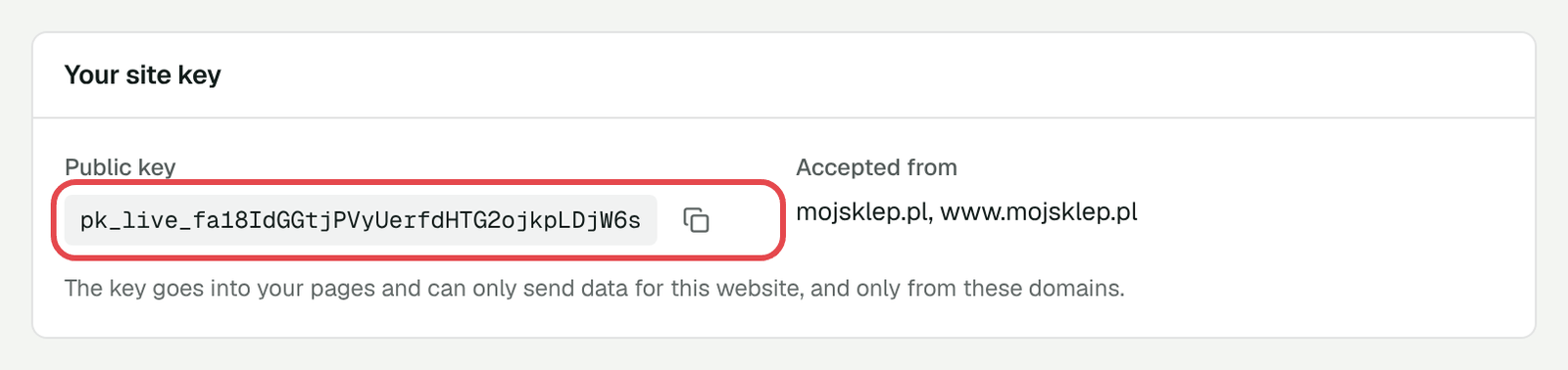
-
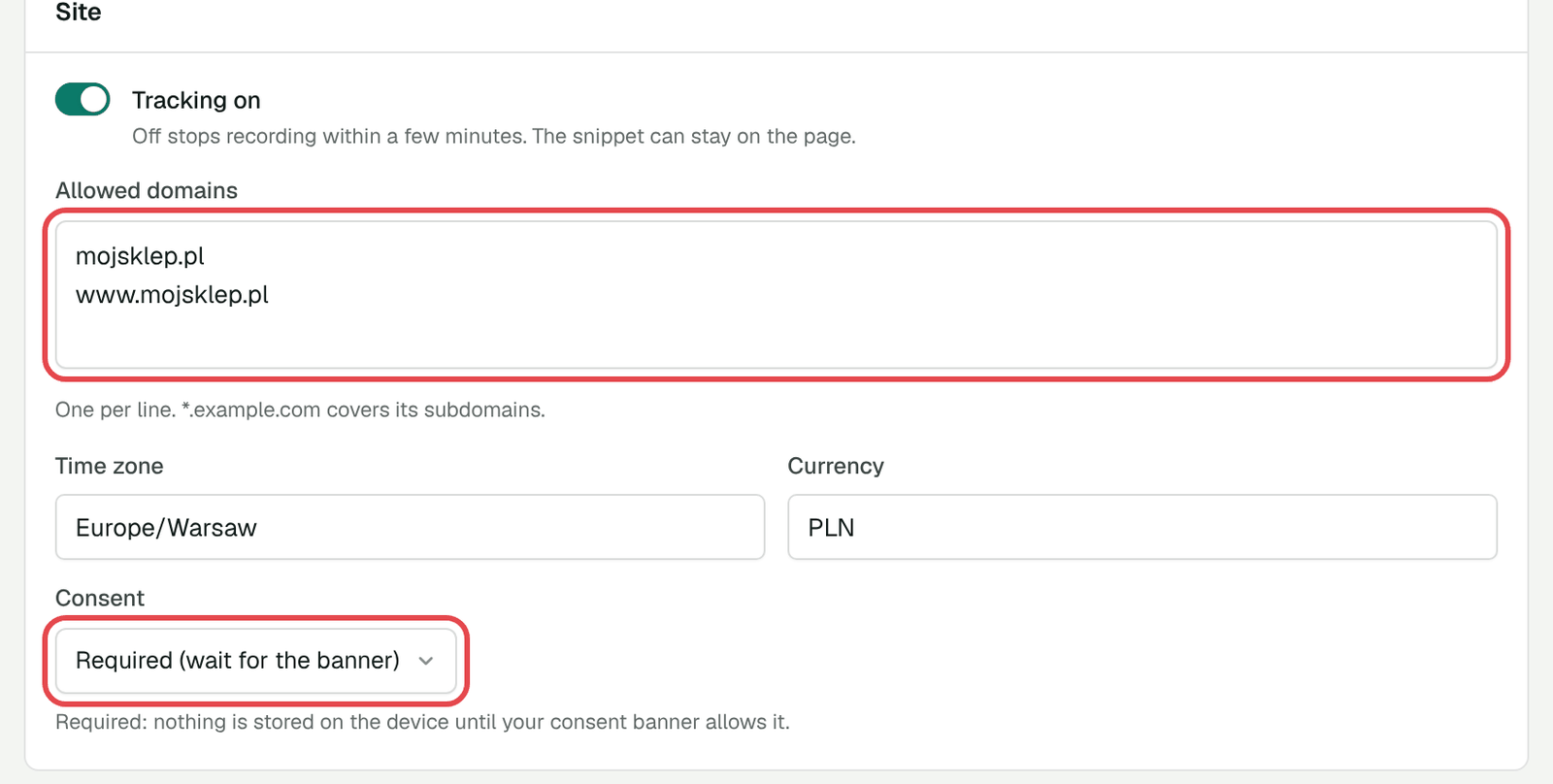
Open Analytics settings and check two things:
- Allowed domains has every address your shop opens on. Quomerce fills in your address with and without
www. Add any other address your shop uses, one per line. - Consent is Required (wait for the banner). IdoSell’s cookie banner then decides who is recorded.
- Allowed domains has every address your shop opens on. Quomerce fills in your address with and without
2. Add the two snippets in IdoSell
Section titled “2. Add the two snippets in IdoSell”Open Dodatki HTML i JavaScript (HTML and JavaScript add-ons) in the IdoSell panel. Type “Dodatki HTML” in the panel’s search if you can’t find it.
Every snippet belongs to a Kampania (campaign). Create one called Quomerce first, or use one you already have. Then add the two snippets below to it.
Snippet 1: the script
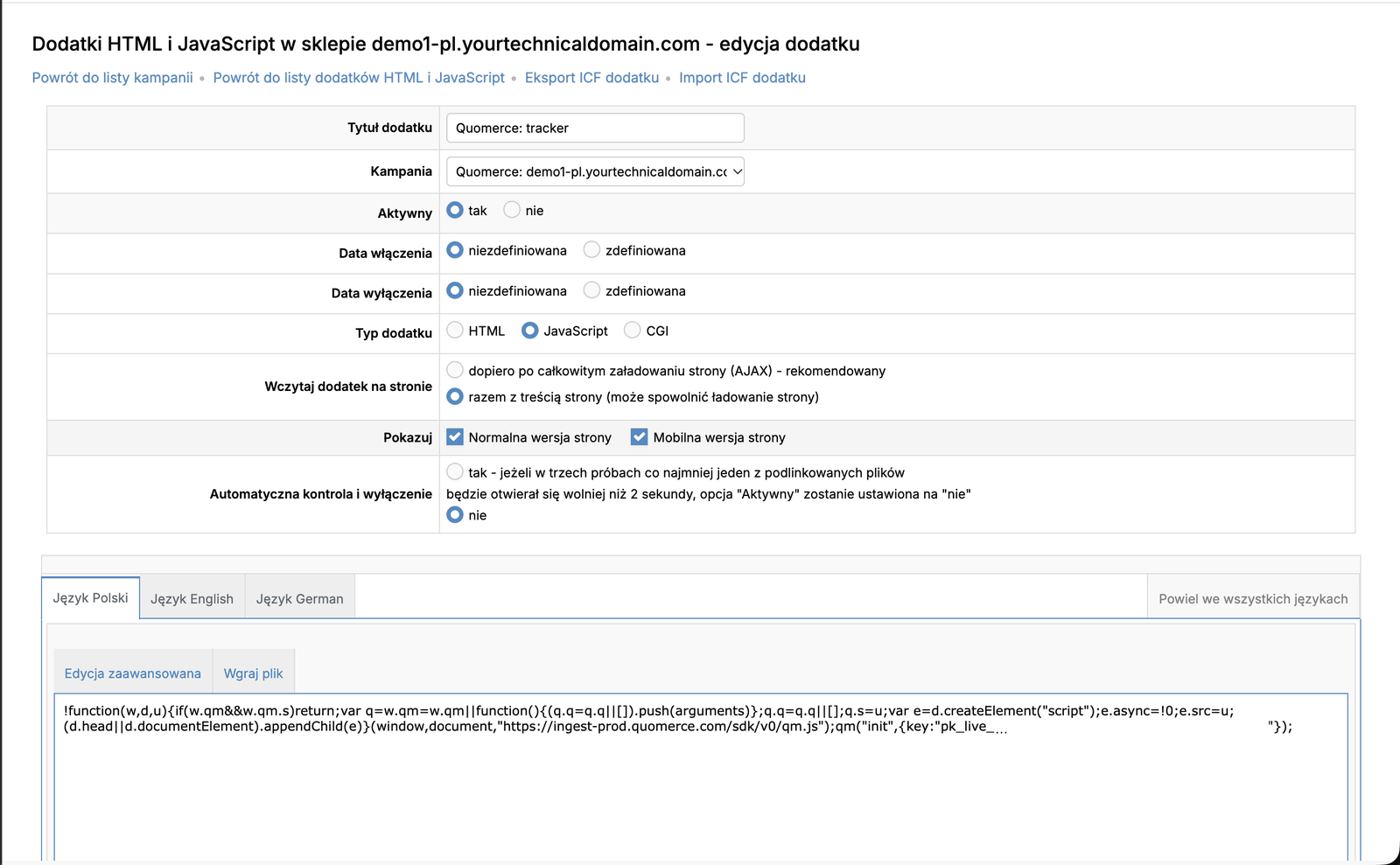
Section titled “Snippet 1: the script”Add a new snippet and fill in the top of the form:
| Field | Set it to |
|---|---|
| Tytuł dodatku (title) | Quomerce: tracker |
| Kampania (campaign) | Quomerce |
| Aktywny (active) | tak (yes) |
| Typ dodatku (type) | JavaScript |
| Wczytaj dodatek na stronie (load) | razem z treścią strony (with the page content) |
| Pokazuj (show) | both Normalna wersja strony and Mobilna wersja strony |
Paste this code into the Język Polski tab, with your own key in place of pk_live_…. If your shop has other languages, click Powiel we wszystkich językach (copy to all languages).
!function(w,d,u){if(w.qm&&w.qm.s)return;var q=w.qm=w.qm||function(){(q.q=q.q||[]).push(arguments)};q.q=q.q||[];q.s=u;var e=d.createElement("script");e.async=!0;e.src=u;(d.head||d.documentElement).appendChild(e)}(window,document,"https://ingest-prod.quomerce.com/sdk/v0/qm.js");qm("init",{key:"pk_live_…"});The same code, with your key already in it, is on Install & setup in Quomerce (Snippet tab). Copy it without the <script> tags.
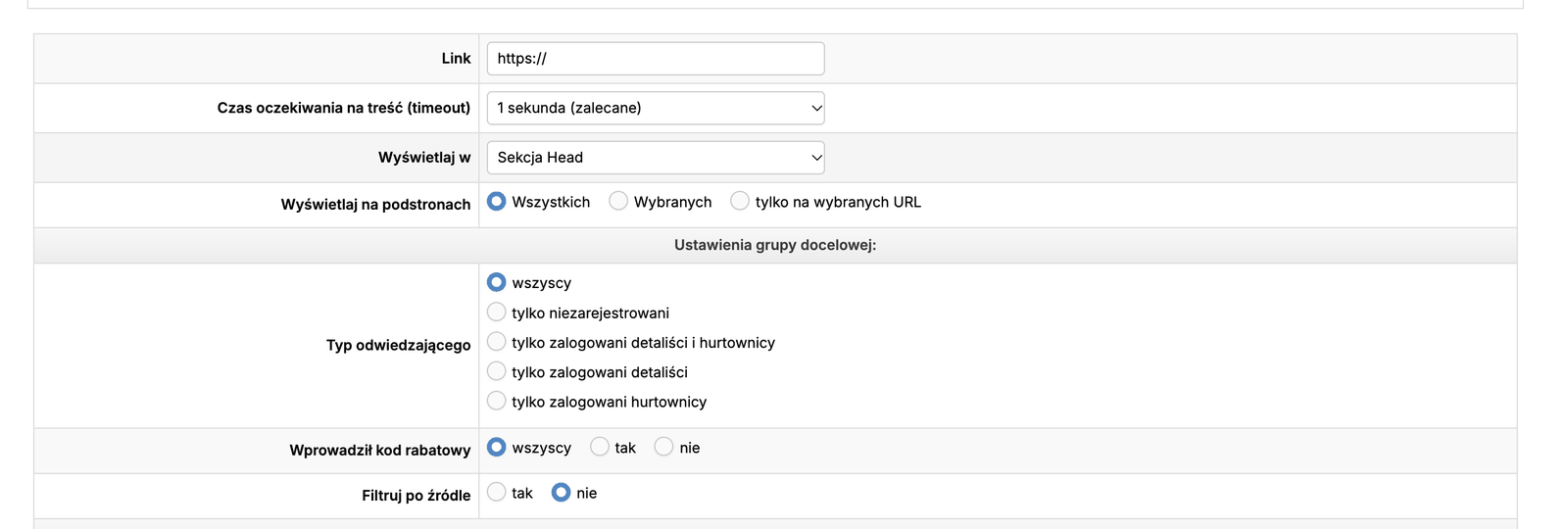
Lower down, set where it shows:
| Field | Set it to |
|---|---|
| Wyświetlaj w (show in) | Sekcja Head |
| Wyświetlaj na podstronach (pages) | Wszystkich (all) |
| Typ odwiedzającego (visitor type) | wszyscy (everyone) |
Save the snippet.
Snippet 2: consent
Section titled “Snippet 2: consent”Add a second snippet:
| Field | Set it to |
|---|---|
| Tytuł dodatku | Quomerce: consent |
| Kampania | Quomerce |
| Aktywny | tak |
| Typ dodatku | JavaScript |
| Pokazuj na urządzeniach (devices) | all three |
| Wczytaj dodatek na stronie | dopiero po całkowitym załadowaniu strony (AJAX). Only then can the cookie banner hold it back. |
The code, the same in every language:
window.qm=window.qm||function(){(window.qm.q=window.qm.q||[]).push(arguments)};qm("consent",{analytics:true,replay:true});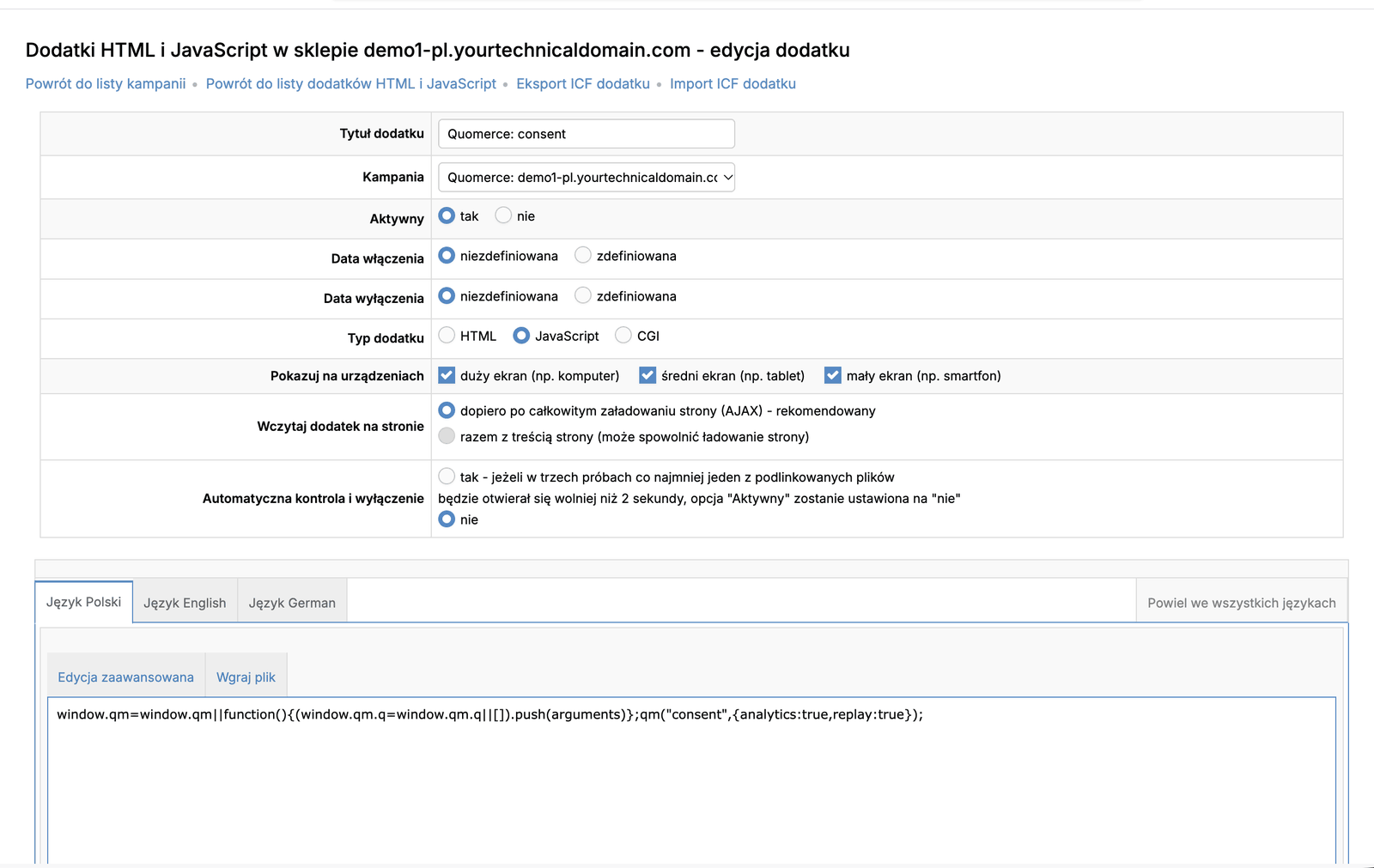
| Field | Set it to |
|---|---|
| Wyświetlaj w | Koniec sekcji Body (end of body) |
| Wyświetlaj na podstronach | Wszystkich |
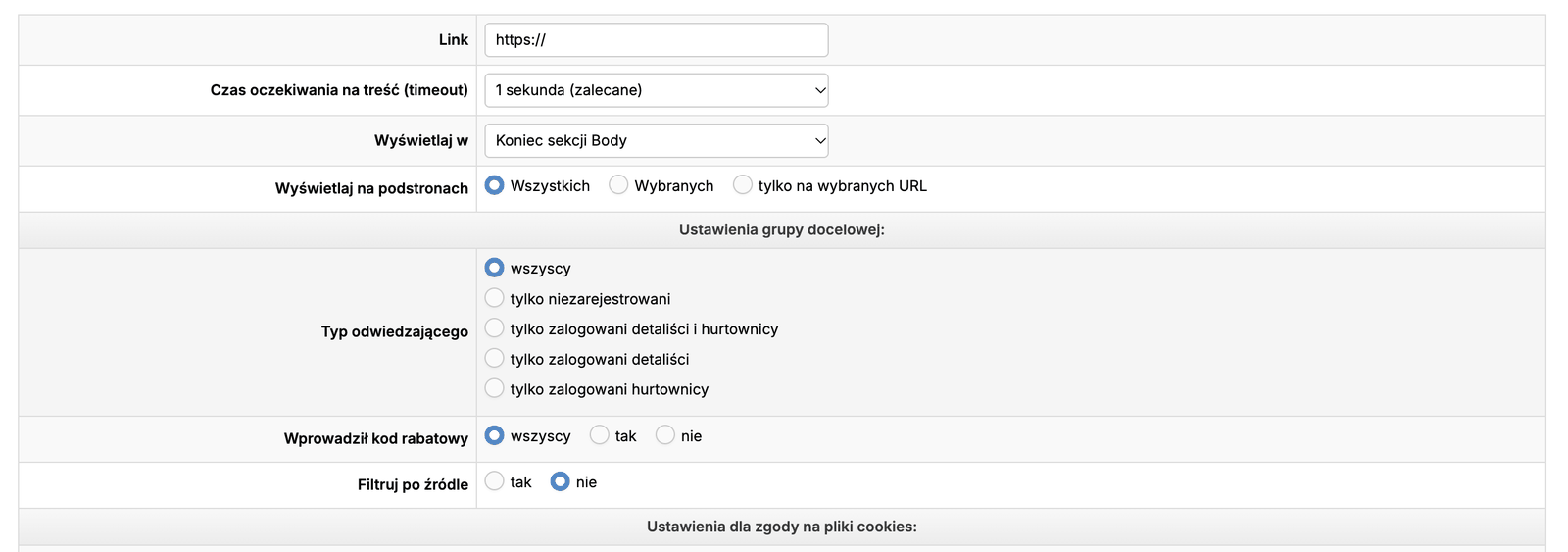
Then, under Ustawienia dla zgody na pliki cookies (cookie consent settings), click Zdefiniuj nowy plik (define a new file) twice and add the two Quomerce cookies. This puts Quomerce in your cookie banner, and makes IdoSell load the snippet only for visitors who accept analytics cookies.
| Field | First cookie | Second cookie |
|---|---|---|
| Dostawca (supplier) | Quomerce |
Quomerce |
| Kategoria (category) | analityczne | analityczne |
| Description (every language) | Visit id: links the pages seen during one visit. | Visitor id: recognises returning visitors. |
| Wyświetlaj zaawansowane informacje | tak | tak |
| Nazwa pliku (name) | _qm_sid |
_qm_vid |
| Czas życia pliku (lifetime) | stałe, 30 minut | stałe, 395 dni |
| Typ pliku (type) | plik cookie | plik cookie |
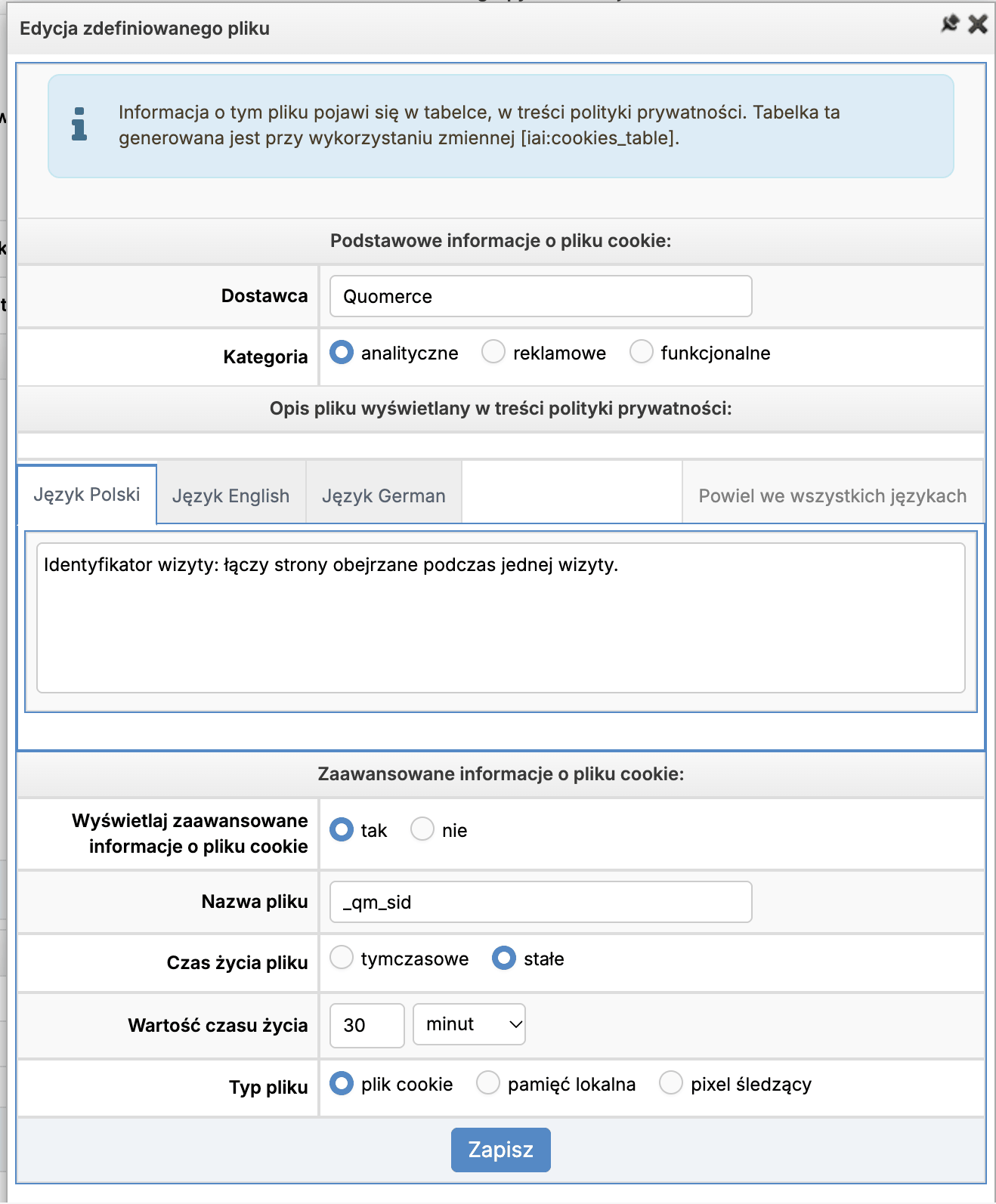
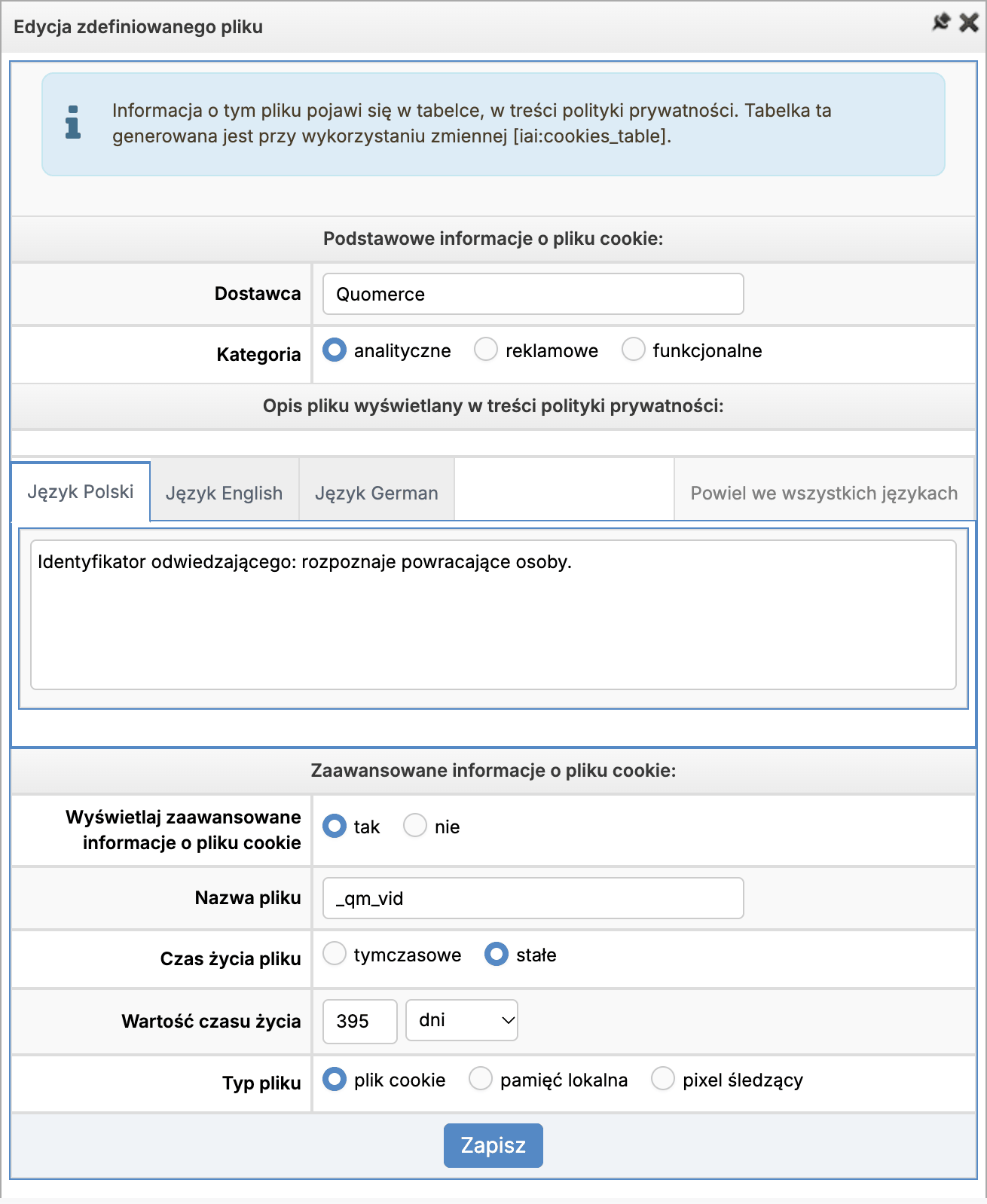
Both show in the list. Click Zmień (save).

Page types need nothing more: the script recognises IdoSell’s pages by itself.
3. Cart, checkout and orders
Section titled “3. Cart, checkout and orders”Add to cart, checkout and orders come from the Google Analytics 4 events IdoSell sends by itself. Turn on IdoSell’s Google Analytics 4 integration if it is off. Without it, Quomerce still records visits, replays and errors, and sees the cart and checkout pages, but not the orders.
4. Check that it works
Section titled “4. Check that it works”-
Open your shop in a normal browser window (or a private one, so the cookie banner shows again).
-
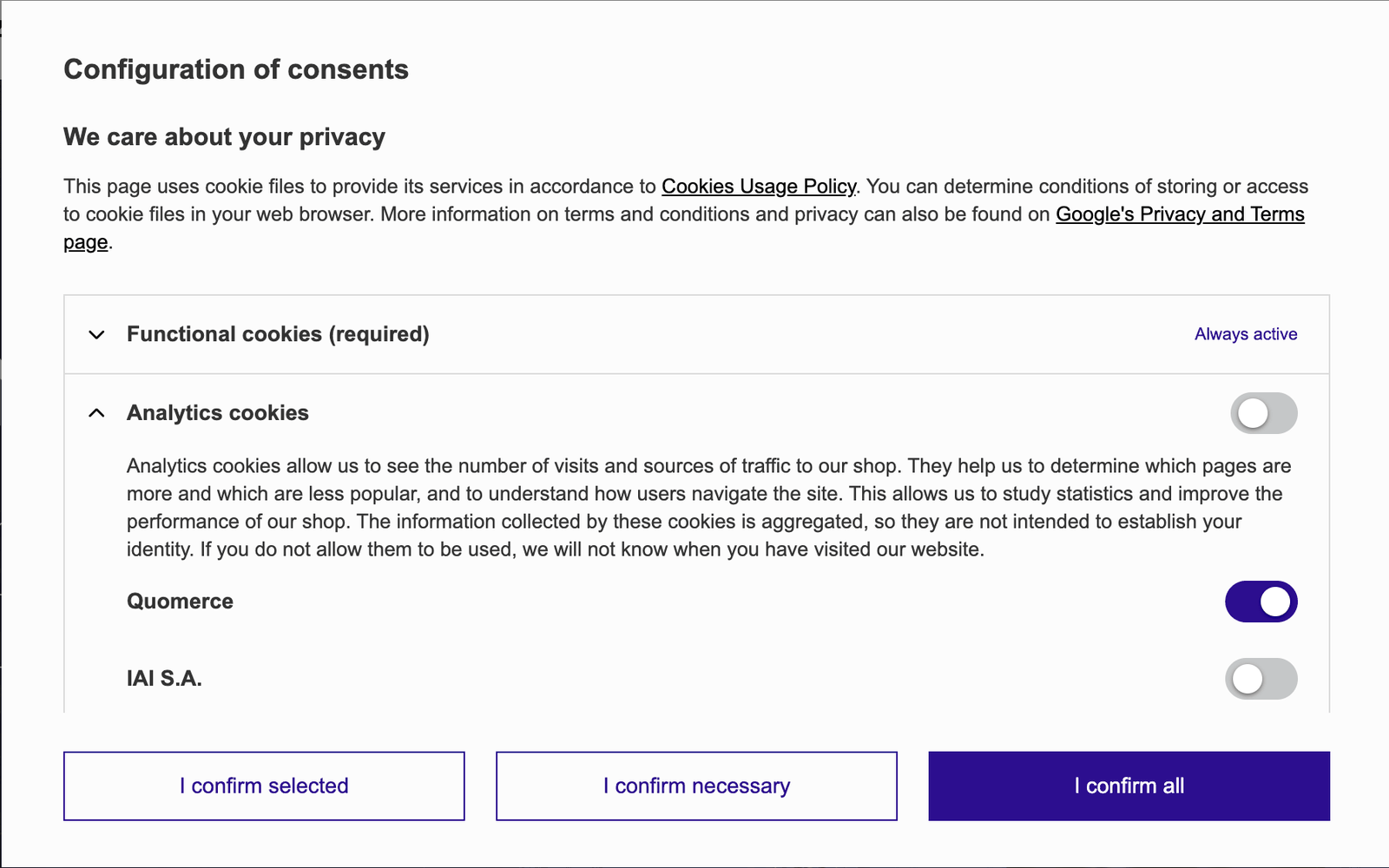
Accept cookies. Under analytics cookies (Analityczne in a Polish shop), Quomerce should be on the list.
-
Open a product, add it to the cart and go to checkout.
-
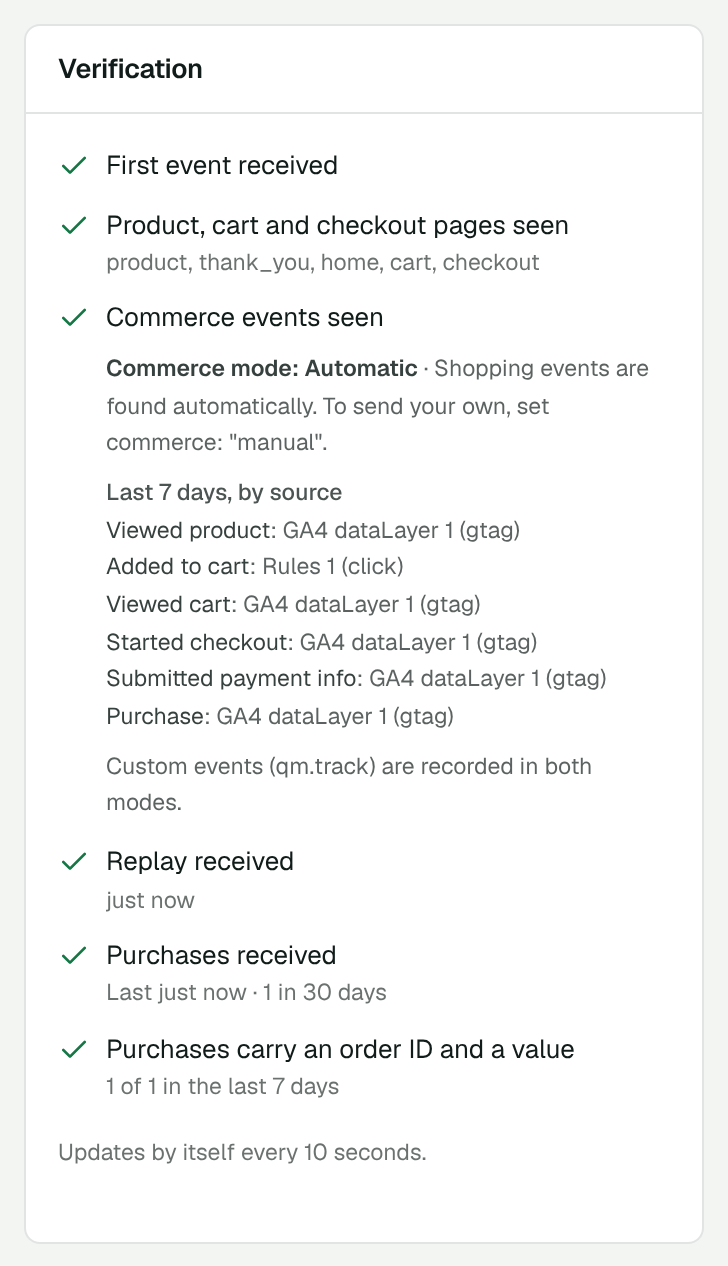
In Quomerce, open Install & setup. The Verification list fills in within a minute. More in Check that it works.
If something doesn’t work
Section titled “If something doesn’t work”Nothing arrives in Quomerce
- Did you wait 10–15 minutes after saving the snippets? IdoSell shows them only once its cache refreshes.
- Is your shop’s address in Allowed domains? With and without
wwware different. - Are the snippets switched on? Check both in Dodatki HTML i JavaScript.
- Do you use an ad blocker? It can block Quomerce. Try another browser.
Visits arrive, but no replays, and every page looks like a new visit
That is how it should be for visitors who did not accept analytics cookies. If you accepted them and still see it:
- the consent snippet must load with AJAX, and both cookies must be in the Analityczne category;
- Quomerce must be listed in the cookie banner.
The cookie banner does not show up for me
IdoSell shows it once. Open the shop in a private window to see it again.
Cart and orders are missing
Turn on IdoSell’s Google Analytics 4 integration (see Cart, checkout and orders).
Still stuck? Write to [email protected].